Search This Blog

Showing posts with label Free. Show all posts

Sunday, July 29, 2012

Keyboard Shortcuts (Windows)

Keyboard Shortcuts with Free Download


As with all things ‘computer’ there are multiple ways to achieve a goal such as ‘Cut’, ‘Copy’, ‘Paste’ or Navigate your cursor around a document. When you are typing (or there is a lack of ‘menu’ present) it is sometimes more expedient to use your keyboard rather than your mouse to do things.
Keyboard Shortcuts help you save time by allowing you to never take your hands off the keyboard to use the mouse. Keyboard shortcuts use a combination of keys to achieve a Function’. For example: Have you ever wondered what that Ctrl key was for? Well, if you press and hold that down and then hit another key magical things will happen. The Shift and Alt keys can be used as well.

I also find that by taking your hand away from the keyboard to find your mouse to either click a Menu about your document or right click to find the ‘Options’ menus, you can distract your focus on the task at hand.

Keyboard shortcuts are also immensely handy for those of you who use a lap top ‘track pad’ (naughty) instead of a mouse, so….

Remember that you need to master Selecting (or highlighting) techniques first.[see the Selecting Text shortcuts]

Step 1 is to locate certain keys on your keyboard (as a lot of keyboards differ from one another)…

Ctrl (Control) - 
usually the first and last keys on the bottom row
Shift - 
usually the first and last key of the second bottom row

Navigation Keys -
usually grouped together or in a row downwards on the right hand side

Arrow Keys -
Bottom right

F Keys -
Very Top Row

Alt Key-
usually either side of the Space Bar
Now you have located the Ctrl, Alt, Shift, F, Arrow and Navigation Keys you can Download a printable version of this guide and keep them by your keyboard until you learn them ‘by heart’.
Remember that keyboards can be different so these shortcuts are a guide only. After you have printed this open up a word document and type some text. Then go through the shortcuts and make sure they work for you.

It’s always good practice to 'say' the commands as you perform them...(all geniuses talk to themselves) For example;
Copy Command: Ctrl+C
Say …‘hold Control and press C’

Here are a few to get you started...

MOST USED

Cut selected text     Ctrl + X
Copy selected text   Ctrl + C
Undo last edit           Ctrl + Z
Paste selected text   Ctrl + V
Redo last action      Ctrl + Y
Task Manager (to stop a process when its stuck and taking forever to think about it or your computer is ‘frozen’)
                             Ctrl + Alt + Delete

SELECTING TEXT

            Select All the text in a doc               Ctrl + A
          Select a Word at a time               Shift + left/right arrow
            Select a Sentence at a time           Ctrl + one click of mouse

To Download your free Keyboard Shortcuts Guide Click here

Yours in Shortcutting
Kim-Denyse
Kim-Denyse Dip Bus CertIV TAA

www.mycomputertutor.net.au

Monday, January 30, 2012

What is a Java Update and is it Safe?


Safe Updates: Java


I receive many calls and emails in regards to 'UPDATES' and many of you don’t do them (‘eek!’) because you are unsure whether it is safe to do so

Please remember that its OK not to know these things because no one told you in the first place and this knowledge will help to save you time stress and in the end… money

Many are very safe and, in fact, to ensure the security of your PC, its a good thing to do. Updates are usually intended to fix security problems, which makes your computer safer
In order to help you make sense of the confusion I thought I’d put together a quick Step-By-Step for the main ones that will pop up and nag you from time to time [print Page 3.]


What Is Java?

An icon is appearing down the bottom in your task bar, that looks like a little orange coffee cup and it keeps asking you to update something called; JAVA


As you may or may not know, computer programs are written in different technical languages. One of these languages is called 'Java'. A program written in Java will work on many different kinds of computers, such as PCs and Macs.


from the java site def: Java is a programming language and computing platform first released by Sun Microsystems in 1995. It is the underlying technology that powers state-of-the-art programs including utilities, games, and business applications. Java runs on more than 850 million personal computers worldwide, and on billions of devices worldwide, including mobile and TV devices.


In other words Java allows you to do such things as 
  • chat with family and friends worldwide, 
  • play online games, 
  • view images,  just to name a few. 
It's also integral to the intranet applications and other e-business solutions that are the foundation of corporate computing.


Why do I need Java?

There are lots of applications and websites that won't work unless you have Java installed, and more are created every day. 


Java is fast, secure, and reliable. From laptops to data centres, game consoles to scientific supercomputers, mobile phones to the Internet, Java is everywhere!

Is Java free to download?

Yes, Java is free to download. Get the latest version at http://java.com.


Why Java Needs Updating

The Java program already exists on your PC if it is asking to be updated. To run programs written in Java language, you need a Java "runtime environment." So if your computer is nagging you to "update Java," then your computer has a Java runtime environment already— and it is out of date.


Java is NOT JavaScript. They are completely different. They share a name only because of a marketing decision made by Netscape and Sun years and years ago. Many web pages rely on JavaScript for important features you want.

What You Should Do

You have two reasonable choices:
  1. Update Java whenever you are asked to. This is safe— the Java runtime environment is a product of Sun Microsystems, a very respectable company. It is already on your computer. When you refuse to update Java (or Windows, or MacOS...) you are often taking a very big risk by refusing to fix security problems.
  2. Uninstall Java completely. Yes, you can do this and it is safe. The negative consequence is that if you are using any programs or websites that rely on Java, you will not be able to use those programs or websites correctly any more unless you install Java again.

 HINT: Updates are necessary – Upgrades are not


UPDATE JAVA: Step-by-Step

When a balloon pops up and asks you to install Java Updates
HOW?
Left click
  1.  Say Yes
  2. The Java Update Available screen will appear
  3.  Left Click Install
  4. The Java Setup will begin

  1. Left Click Install again


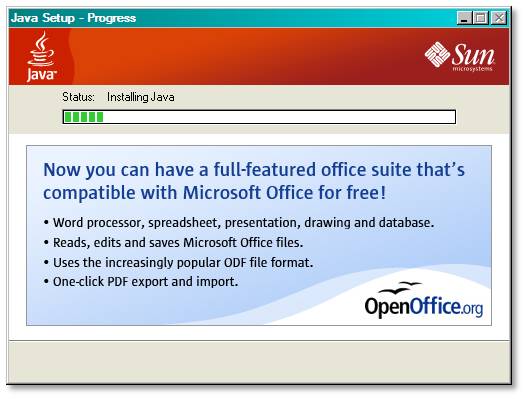
  1. The installation will begin showing you its progress. You do not have to do anything more


The Writing underneath is an ad for a freeware program call open office... ignore it at this point and ask me about it later
Note from MCT
Print the previous page and file it into your My Computer Tutor folder for future reference
When updating your programs the principles are basically the same
I will send you more of these handy guides as soon as I put them together
Please remember that its OK not to know these things because no one told you in the first place and this knowledge will help to save you time stress and in the end… money
Knowledge on how to maintain the health of your computer and how to stay safe on the net is becoming increasingly important, so please do not hesitate to continue to contact me with any concerns

Yours in PC Peace
Kim-Denyse
My Computer Tutor
PS: Stop stressing for hours alone in front of your PC. You are not alone.
Email: mycomptutor@gmail.com Or contact me via the website www.mycomputertutor.net.au

Tuesday, April 20, 2010

APRIL NEWS: NEW WEBSITE AND WEEKEND WORKSHOPS


I have news that may be of interest to you...

 
My Computer Tutor has a new and improved website with a little (HUGE) amount of help from my dear friend and computer genius Murray McAuliffe.
To check it out click on this link: (or copy and paste it into your address bar) www.mycomputertutor.net.au

 
Now you can contact me directly from there as well, by using the Contact Form that is on every page. You can also purchase the My Computer Tutor Course CDs from the Downloads page (great gift idea!).

 
Its brand new so I still have a couple of things to fiddle, fix and add. If you are curious enough to find some time to have a click around it and test it out, I would be very appreciative. (HINT: click on the Amazon Link to purchase your favourite books and CDs online). Any and all suggestions are welcome!

 
There is also a link to the Ning My Computer Tutor Network Site, so you can always get there quickly and easily to stay on contact with the other students or develop your own webpage (to promote your own stuff for free). I will also be constantly uploading Free Stuff on the My Computer Tutor Step-By-Step Guides Blogand you can 'Follow' me on Twitter if you tweet

 
Thanks to your continued support I am working towards my ultimate goal. My dream is to build a sustainable business teaching and selling the courses and workshops (I am constantly writing and rewriting), to not only Beginners, the Lost and the Confounded, but also to those Government
Agencies, Corporate and Philanthropic organisations who have the capacity to help people who (through life's unfairness) don't have the resources readily available to them e.g. at risk youth, indigenous Australians, women in 3rd world countries, people with learning and physical disabilities, people who live in remote areas and the list goes on.I studied for my Diploma in Business Marketing and Cert IV in Business Management with higher goals than just the usual in mind

 
My Computer Tutor fills the void for providing ethical service and support to everyone who needs a helping hand in the confusion of this ever changing technological world, so that they can keep up and achieve whatever goals and dreams that they wish to achieve, safely and economically. Eventually I will be publishing a book on the subject and am eager to start Key Note speaking at community events.

 
I will begin to market the My Computer Tutor: Essential Computer Workshops in the next couple of weeks to Job Network Service Providers (for the long term
unemployed), Clubs, Groups and small businesses. If you know anyone you think would benefit from them or like to have me come and keynote speak at a function my hand is up!

 
Another IMPORTANT ANNOUNCEMENT:
I have recently developed a workshop on just Photos... how to import, scan, edit, email, create slideshows, upload them to web albums and a lot more!

 
This workshop is not only essential for home use but for people who are Scrapbooking, researching their ancestry, businesses who are marketing their product, artists, fashion designers etc etc

 
You have a choice between
  1. attending a 3 hour Workshop that will be held at Quick Smart Computers on a Saturday or Sunday afternoon 2-5 (min 3 people) @$75ea
  2. 1 to 1 tuition in your home (or in my home office) for $135 (+ $10 travelling exp if you live north of Main Beach, south of Miami or west of Merrimac)
You will receive a free Picasa program and a Course CD + 1 free hour of remote assistance after the course

 
Why not phone a friend or two for a fun afternoon together?
Please contact me ASAP to book in your preferred date and time. First in best dressed.

 
My joy has been, and will always be, working One 2 One with you and I wish to thank you so much for all of your continuing support.

 
If I don't hear from you I will assume that you have reached your goals and you are happy with what you are currently doing, but... remember that I am here if you need me, whether I come to your home, you come to me, or I provide immediate remote assistance.

 
Help is only a phone call or an email away

 
I look forward to hearing from you soon

 
PS: remember you can call me on SKYPE for FREE kim.denyse

Saturday, February 20, 2010

Importing Contacts From CSV into MS Outlook 07


MCT Step-By-Step Guide: Importing Contacts Otlk07
    
© MCT STEP-BY-STEP GUIDES: EMAIL: OUTLOOK 2007: CONTACTS: IMPORT

import contacts  to outlook 2007


possible scenarios


You have a new Outlook 2007 program and you want to transfer all your contacts from your web based email program e.g. Gmail into it
This Step-By-Step guide assumes you have saved your contacts to a .csv file from your Gmail account to your desktop  [see Export Contacts from Gmail]


Now you can have all of your contacts in both your Gmail account and your Outlook account


PS: If you are a novice computer user and would like to do a full Emailing Essentials course just go to the MCT website where you can purchase a Course CD or Enrol in the famous BLC courses with the computer fairy princess, Kim-Denyse
http://www.mycomputertutor.net.au/ 

Monday, November 16, 2009

Skype Made Easy


all I want for christmas is...

It's November and the heat is on. Christmas is looming large and there's planning and logistics as well as the gift buying expeditions ahead...

I am madly making my lists and checking them twice, trying to work out who will be where and when. I have the immediate people sussed. I know how and when I will be catching up with them but what of everyone else I love? I don't know about you but I have extended families spread throughout the state, country, and overseas.

Christmas is a time for joy but I can't help but feel a little sad niggling when planning for my Christmases. A lot of my family are scattered across the country. My lifelong friends and their children live far away. I have travelled far and met so many amazing people and when I go to write my Christmas cards, I feel that it is not quite good enough somehow.


When was the last time I saw them in person? Actually sat down and laughed with them, sharing stories and the traditional Christmas cheer. I agonise over whether I have bought them a gift that they would truly like, or if I have lost the connection with them and they are really wishing I hadn't!

If I had a wish for Christmas it would be that I could clone myself, or be a millionaire so I can just fly off to see them all in person on Christmas day.

The Wish

I wish that this Christmas
  • I can see them all
  • I can talk to them all
  • I can share the experience with those who are with me
  • AND I CAN DO IT ALL FOR FREE!

THE SCATHINGLY BRILLIANT SOLUTION

Being a nerdette I came up with a technological answer.
Write a Simply Computers Skype Made Easy Step-By-Step Guide, upload it to the web and send the links to everyone!

I have burnt the lessons to CD and I have bought everyone a webcam for Christmas with strict instructions to open them Christmas eve.

I have remote assistance capabilities, so I can help them set it all up if they get stuck (some I inherited the techo genes from and others I didn't).

CAN YOU DO THIS TOO?

SURE! Why not? I will share the love, (just not on Christmas Eve as I will be a little busy).
  1. Order the webcams now [on special click here]
  2. Order your Skype Made Easy Step-By-Step
    Guide CD
Or

email me for HELP mycomptutor@gmail.com

ITs easy when you know how
Merry Christmas